
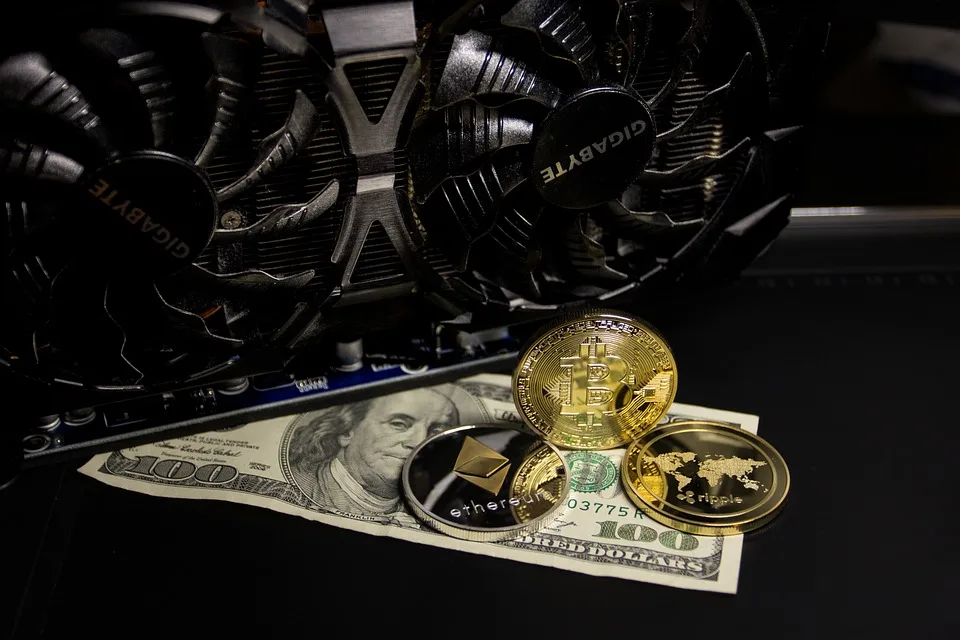
Cryptocurrency simplifies online gambling by making it quicker, more efficient, and more secure. At Casino Extreme, we’re pleased to accept leading digital currencies, including Bitcoin, Litecoin, and Ethereum.
Cryptocurrency payments are generally swift and effortless, but sometimes you’ll encounter a problem. No need to worry. Here is your step-by-step troubleshooter for the most frequent crypto payment problems, designed to help you get back to playing stress-free again.
Crypto Payment Issues Troubleshooting Guide
1. Slow Confirmation Time
What’s Happening?
You deposited the amount, but it’s not reflecting in your wallet. Don’t worry—it can be a network issue. Cryptocurrency doesn’t rely on banks, so it waits for blockchain confirmations. Once the network confirms the transfer, the funds will reflect in your Casino Extreme account.
Why It Occurs
Most delays occur because of low network fees. When you send cryptocurrency, you’ve to enter a transaction fee. If the charge is not high enough, miners will prioritize other, quicker, higher-fee transactions.
What You Can Do
Check the transaction status: Use a blockchain explorer (like Blockchain.com for BTC) to track your payment.
Review the fee: If the charge is low, the transaction may take more time.
Be patient: Some transactions take a few minutes, others may take longer, depending on network congestion.
Contact 24/7 customer support: If your payment fails to clear within a reasonable time, contact Casino Extreme’s live chat or email support for assistance.
2. Incorrect Wallet Address
Why Accuracy Matters
Crypto transfers are permanent. If you send funds to the wrong wallet address—even by one character—your money could be lost forever.
What to Watch Out For
- Typos or omitted characters
- Pasting the incorrect address
- Mailing to an obsolete or unoccupied address
Best Practices
- Always copy and paste the address from your Casino Extreme cashier page.
- Double-check it before sending.
- Do not reuse previous addresses. Casino Extreme can create a brand-new wallet address for every payment made.
If you’ve already sent it to the incorrect address, there’s no option to reverse the payment. Contact your wallet provider for advice, but the money may not be reversed.
3. Utilizing an Unsupported Cryptocurrency or Network
Stay within the approved list.
Only certain cryptocurrencies and networks are supported by Casino Extreme. Unsupported coins (or coins in the incorrect network) will fail or get misplaced as payment.
Common Mistakes
- Sending ERC-20 USDT rather than TRC-20 USDT
- Sending Bitcoin Cash (BCH) instead of Bitcoin (BTC)
- Using an unsupported token like DOGE or SHIBA without checking first
How to Avoid Mistakes
- Check the list of supported cryptocurrencies in the cashier section before you send.
- Verify the proper network type (e.g., TRC-20, ERC-20, or BE)
- Call customer support if you’re unsure whether to use a coin or network.
4. Minimum and Maximum Limits
Know the Rules
All crypto deposits and withdrawals at Casino Extreme have set minimum and maximum limits. If your payment doesn’t fit within this scope, it will be held up or denied.
Minimum deposit: Most cryptocurrencies require a minimum deposit of $10, but this can vary.
Maximum deposit: Higher limits are available, but only after your account has been verified.
Withdrawal Limits
Minimum payout: About $20–$30 on a standard day.
Maximum withdrawal: May be subject to daily or weekly limits, depending on VIP level or terms of the bonus.
Where to Check
- Go to the Cashier and select your crypto option.
- Read the terms at the bottom or on the FAQ page.
- If you’re withdrawing a bonus, also check the wagering requirements.
5. Payment “Sent” but Never Received
What’s Going On?
Your wallet confirms the payment has been sent, but nothing is showing up within your Casino Extreme account.
Possible Causes
- Late confirmations
- Incorrect network
- Sent to an old address:
- Temporary wallet sync problems
What to Do
- Use a blockchain explorer to check the TXID.
- Verify if the employed address is identical to what appears on your Casino Extreme account.
- Make sure you use the correct network for the currency.
- Contact Casino Extreme customer support with your TXID and information.
Providing these details helps our customer support in confirming your transaction.
6. Withdrawing Crypto to an Exchange Wallet
Side-step the Exchange Trap
Others direct their crypto withdrawals to exchange wallets, for instance, Binance, Coinbase, or Kraken. Though it can be done, it is not recommended.
Exchange wallets change addresses frequently. They don’t sponsor particular tokens nor require memos/tags before processing them. Transfers made without proper tags or to dormant accounts can get lost. Keep in mind privacy and security reasons.
Safer Option
Initially, you should withdraw money to a private wallet such as Trust Wallet, Exodus, or MetaMask. From there, transfer to your exchange if necessary. The additional step minimizes the possibility of lost funds along with unnecessary delays.
7. Wallet Compatibility Issues
Not All Wallets Are the Same
There are some wallets more suited to crypto gambling-related transactions than others. Incompatible wallets or settings can block or delay your deposits and withdrawals.
Red Flags
- Wallets that don’t let you set custom fees
- Wallets that don’t support specific networks
- Wallets without information on the transactions, like TXIDs
Best Practices
- Utilize popular, trusted wallets such as Trust Wallet, Electrum (para BTC), and Atomic Wallet.
- Keep your wallet program always up to date.
- If you’re having issues, try switching to one of the suggested wallets.
8. Blockchain Network Congestion
What Is It?
Occasionally, the blockchain is just busy. When everyone is trying to send crypto simultaneously, network congestion will slow down transactions—regardless of the wallet or casino you’re in.
Indications of Congestion
- Your payment is pending
- High network fees everywhere
- Blockchain explorers show a backlog of pending transactions.
What You Can Do
- Use a higher network fee when submitting your transaction.
- Wait it out—the congestion typically clears up within several hours.
- Avoid peak hours (weekends, market volatility days).
9. Double Spending or Duplicate Transactions
What It Means
When you accidentally try to send the same cryptocurrency because your last send is pending or stuck, you may receive the double-spend error.
Why It’s a Problem
- Most wallets will not allow you to resend the same funds.
- Other users attempt to “force” the payment with the advanced wallets, but this sometimes leads to errors.
Better Advice
- Do not attempt to resend unless you’re sure of what you’re doing.
- Use Replace-By-Fee (RBF) or Child Pays for Parent (CPFP) features, if your wallet has them.
- In case of doubt, contact Casino Extreme support or your wallet provider.
10. When to Contact Support
24/7 Casino Extreme Customer Support Is Here
If you’ve attempted the above steps, but you’re unable to find or troubleshoot your issue, it’s time to contact support.
Best Contact Method for Help
- Live Chat: The quickest option, offered right on the Casino Extreme website.
- Email: Great for providing transaction screenshots or TXIDs.
Be Prepared with:
- Wallet address utilized
- Transaction ID (TXID)
- Time of transaction
- Amount transferred and currency
- Any screenshots
Casino Extreme’s team is crypto-savvy and can help resolve most issues quickly.
11. Defending Against Phishing Attacks and Spoofed Web Sites
Double-Check the URL
Be sure you’re logging into the legitimate Casino Extreme website all the time. Scammers can create duplicate websites to get your crypto or personal information.
What to Watch Out For
- E-mails requesting you to “confirm your wallet” by following a link.
- Fake apps or extensions for browsers
- Sites with non-standard or misspelled domain names
- Always type the website address yourself or bookmark the original website address to avoid risks.
12. Summary: Quick Crypto Troubleshooting Checklist
| Issue | What to Check |
| Deposit not showing | Blockchain confirmation, TXID, correct address |
| Long delay | Network congestion, low fee |
| Funds lost | Incorrect address or unsupported crypto |
| Withdrawal stuck | Wallet compatibility, withdrawal limits |
| Sent to exchange | Tag/memo missing or incompatible address |
| Can’t figure it out | Contact 24/7 Casino Extreme support |
Final Thoughts
Crypto deposits are fast, safe, and convenient—provided you do them correctly.
By reading this advice, you will steer clear of the majority of the troubles other players experience when making cryptocurrency deposits on Casino Extreme. Rest assured, too, that if everything gets out of whack, the help you need is but a click away. Casino Extreme offers 24/7 customer support to resolve issues.
If you’re ever unsure, take a moment to double-check everything. In the world of crypto, attention to detail makes all the difference.
FAQs – Troubleshooting Crypto Payment Issues
No. All crypto transactions are final once sent. Always double-check your wallet address before sending.
Wait a bit and check the transaction status through a blockchain explorer. If it is taking too long, contact support with your TXID.
Yes. Casino Extreme ensures all transactions by leveraging the latest encryption and secure blockchain technology.
Your money could be gone or irretrievable. Always verify the necessary network before transferring any crypto.
Yes, but we don’t suggest it. Exchange wallets often possess unforeseen rules or need memos, both of which can result in unsuccessful deposits.